Morocco Internet & Connectivity
SIM cards from $3, nationwide 4G coverage, and growing 5G networks. Everything you need to stay connected from Tangier to the Sahara.
Staying Connected in Morocco
Morocco has invested heavily in telecommunications infrastructure over the past decade, and the result is a surprisingly well-connected country for travelers. Three major carriers — Maroc Telecom, Inwi, and Orange — compete vigorously, driving down prices and improving coverage. A tourist SIM card with 10 GB of 4G data costs as little as $3-5, making Morocco one of the most affordable countries in the world for mobile data.
In major cities like Casablanca, Rabat, Tangier, and Marrakech, you will find fast 4G coverage virtually everywhere and growing 5G networks. WiFi is available at most hotels, riads, cafes, and restaurants. Fiber internet connections of 50-100 Mbps are standard at coworking spaces and modern hotels. Even in smaller tourist towns like Essaouira and Chefchaouen, staying connected is straightforward.
The main areas where connectivity becomes challenging are remote regions: the Sahara desert, the deep Atlas Mountains, and rural villages in the south. Even in these areas, Maroc Telecom usually provides at least basic 2G/3G coverage along major roads. This guide covers everything you need to know about getting online and staying connected throughout your Morocco trip.
Morocco's Three Mobile Carriers
Morocco has three mobile network operators. All three offer prepaid SIM cards for tourists with no contract required.
Maroc Telecom (IAM)
Coverage: Best nationwide coverage including rural areas and highways
Strengths
- Best rural and highway coverage in Morocco
- Largest 4G network footprint
- 5G rollout in Casablanca, Rabat, Tangier, Marrakech
- Most reliable for calls and SMS nationwide
- Best option for Sahara and Atlas Mountain travel
Considerations
- Slightly more expensive than competitors
- Customer service can be slow
- Tourist SIM registration sometimes takes longer
Prepaid Data Plans
| Plan | Data | Validity | Price | Note |
|---|---|---|---|---|
| Jawal Tourist | 10 GB | 30 days | 50 MAD (~$5) | Includes 30 min local calls |
| Jawal Recharge 20 | 2 GB | 7 days | 20 MAD (~$2) | Good for light use |
| Jawal Recharge 50 | 8 GB | 30 days | 50 MAD (~$5) | Standard monthly |
| Jawal Recharge 100 | 20 GB | 30 days | 100 MAD (~$10) | Heavy data use |
| Jawal Recharge 200 | 50 GB | 30 days | 200 MAD (~$20) | Digital nomad package |
Inwi
Coverage: Strong in cities and major highways, limited in remote areas
Strengths
- Most affordable data plans overall
- Best social media bundles (WhatsApp, Instagram, TikTok)
- Fast 4G+ speeds in urban areas
- Easy top-up via mobile app
- Strong in-city coverage in major destinations
Considerations
- Weaker coverage in rural and mountain areas
- Network congestion in peak hours (cities)
- Less reliable in the Sahara and deep south
Prepaid Data Plans
| Plan | Data | Validity | Price | Note |
|---|---|---|---|---|
| Tourist SIM | 7 GB | 14 days | 30 MAD (~$3) | Budget-friendly starter |
| Recharge 20 | 3 GB | 7 days | 20 MAD (~$2) | Best weekly deal |
| Recharge 50 | 12 GB | 30 days | 50 MAD (~$5) | Most GB per dirham |
| Recharge 100 | 25 GB | 30 days | 100 MAD (~$10) | Great value heavy use |
| Recharge 200 | 60 GB | 30 days | 200 MAD (~$20) | Best data-per-dirham ratio |
Orange Morocco
Coverage: Good in cities and tourist areas, moderate rural coverage
Strengths
- International roaming partnerships (good if traveling onward)
- Excellent 4G speeds in tourist cities
- Reliable customer service in French and English
- Good balance of price and coverage
- Strong in Marrakech, Fes, Casablanca, Agadir
Considerations
- Mid-range coverage in rural areas (between IAM and Inwi)
- Slightly fewer physical stores than Maroc Telecom
- Social media bundles less generous than Inwi
Prepaid Data Plans
| Plan | Data | Validity | Price | Note |
|---|---|---|---|---|
| Holiday SIM | 8 GB | 30 days | 40 MAD (~$4) | Includes 60 min local calls |
| Recharge 20 | 2.5 GB | 7 days | 20 MAD (~$2) | Quick top-up |
| Recharge 50 | 10 GB | 30 days | 50 MAD (~$5) | Solid monthly option |
| Recharge 100 | 22 GB | 30 days | 100 MAD (~$10) | Generous data + calls |
| Recharge 200 | 55 GB | 30 days | 200 MAD (~$20) | Power user package |
SIM Card Purchasing Guide
Buying a local SIM card is the most cost-effective way to stay connected in Morocco. Here is everything you need to know.
Where to Buy
Airport Kiosks
Available at arrivals in Mohammed V (Casablanca), Menara (Marrakech), Ibn Battouta (Tangier), and Fes-Saiss airports. All three carriers have counters. This is the easiest option — staff will set up your SIM on the spot. Prices are the same as in-city stores.
Official Carrier Stores
Maroc Telecom, Inwi, and Orange have stores in every city and most towns. Staff can help with registration and activation. Look for stores in the Ville Nouvelle (new town) areas for the best service.
Corner Shops (Hanouts)
Small neighborhood shops throughout Morocco sell SIM cards and top-up credit. Look for carrier logos displayed outside. Prices are the same, but staff may speak less English. A reliable and convenient option once you know what you need.
Supermarkets (Marjane, Carrefour)
Large supermarkets like Marjane and Carrefour Market sell SIM cards at the electronics or mobile counter. Convenient if you are doing a supply run after arriving. Staff can assist with activation.
What You Need
Original passport required for SIM registration. Moroccan law requires ID verification for all SIM purchases.
Your phone must be SIM-unlocked to use a Moroccan SIM. Check with your home carrier before traveling.
Most SIM card purchases require cash in Moroccan dirhams. Airport exchange counters are open for arrivals.
Registration and activation takes about 5-10 minutes. The staff will insert the SIM and verify it works.
Step-by-Step Process
Maroc Telecom for best coverage (especially rural). Inwi for best value. Orange for good all-around balance. See the comparison table below.
Airport kiosk upon arrival is the easiest. Otherwise, find an official carrier store or any shop with the carrier logo.
Hand over your passport for identity registration. The staff will photocopy or scan it. This is legally required.
Select a tourist SIM package or a standard prepaid SIM with a recharge amount. Tourist SIMs come pre-loaded with data.
Pay in cash (MAD). The staff will insert the SIM, activate it, and verify you have signal. You will receive an SMS confirming activation.
Top up at any carrier store, corner shop, or via the carrier app. Scratch cards (recharge cards) are available everywhere in denominations of 10, 20, 50, and 100 MAD.
Pro Tips for SIM Card Buyers
- Buy at the airport to save time and start using data immediately in the taxi or transfer.
- Keep your SIM registration receipt. You may need it if you lose the SIM or need to reactivate.
- Download the carrier app (My IAM, My Inwi, or My Orange) to monitor data usage and top up digitally.
- If you have a dual-SIM phone, keep your home SIM in one slot for receiving SMS verification codes.
- Data top-ups via USSD codes are instant: dial *120# (Maroc Telecom), *120# (Inwi), or #120# (Orange).
- SIM cards are valid for 2-3 months without top-up before they expire. Add credit to keep them active for future trips.
- For stays over 2 weeks, the 100 MAD ($10) recharge offers the best value with 20-25 GB of data.
eSIM Options for Morocco
If your phone supports eSIM (iPhone XS and later, most recent Samsung Galaxy, Google Pixel 3+), you can set up a Morocco data plan before you even board your flight. No physical SIM card needed.
eSIM vs. Physical SIM: Which Should You Choose?
Choose eSIM If...
- You want instant activation before arriving
- You have a dual-SIM phone and want to keep your home number active
- You prefer a no-hassle, no-shop-visit experience
- You are visiting for less than 2 weeks
- You primarily need data (maps, messaging, browsing)
- Your phone supports eSIM technology
Choose Physical SIM If...
- You want the cheapest data rates (local SIMs are 50-70% cheaper per GB)
- You need a local Moroccan phone number for calls and WhatsApp
- You are staying more than 2 weeks
- You want to make local phone calls to restaurants, hotels, guides
- You plan to visit remote areas and want the best coverage options
- Your phone does not support eSIM
Airalo
Holafly
Nomad eSIM
aloSIM
Carrier Comparison Table
A head-to-head comparison of all three Moroccan carriers to help you choose the right one for your trip.
| Feature | Maroc Telecom | Inwi | Orange |
|---|---|---|---|
| Market Share | ~43% | ~26% | ~31% |
| Tourist SIM Cost | 50 MAD | 30 MAD | 40 MAD |
| Tourist SIM Data | 10 GB / 30 days | 7 GB / 14 days | 8 GB / 30 days |
| 10 GB Monthly Cost | ~60 MAD | ~45 MAD | ~50 MAD |
| 50 GB Monthly Cost | ~200 MAD | ~170 MAD | ~185 MAD |
| 4G Coverage | Best (95%+ cities) | Good (90% cities) | Good (92% cities) |
| Rural Coverage | Best | Limited | Moderate |
| 5G Availability | 4 cities | 2 cities | 3 cities |
| English Support | Limited | Limited | Best |
| eSIM Support | No (local) | No (local) | No (local) |
| App Quality | Good | Best | Good |
| Top-up Ease | Easy (everywhere) | Very Easy (app) | Easy (app + stores) |
Best Overall Coverage
Maroc Telecom
Choose Maroc Telecom if you are traveling to rural areas, the Sahara, or the Atlas Mountains. The best network for road trips and off-the-beaten-path destinations.
Best Value for Data
Inwi
Choose Inwi if you are staying in major cities and want the most data for your money. Their social media bundles are unbeatable, and the app makes topping up easy.
Best All-Around
Orange
Choose Orange for a solid balance of coverage, price, and customer service. Best option if you might travel onward and want international roaming compatibility.
WiFi Availability in Morocco
WiFi is widely available across Morocco, but quality varies significantly by location type and region.
Luxury Hotels (4-5 star)
FreeUsually included in room rate. Fiber connections common in newer properties. Request a room near the router for best signal.
Riads (Traditional Guesthouses)
FreeThick medina walls can weaken WiFi signal. Speed varies wildly between riads. Ask about internet speed before booking if you need to work.
Budget Hotels / Hostels
FreeOften shared among many guests. Can be slow during evening hours. Consider mobile data as backup for important calls.
Cafes (Tourist Areas)
FreeMost tourist-area cafes offer free WiFi. Speed varies. Order regularly to maintain goodwill. Nomad-friendly cafes often have power outlets.
Coworking Spaces
PaidDedicated fiber lines. Most reliable option for remote work. Day passes typically 80-150 MAD. Monthly passes 800-2,500 MAD.
Restaurants
FreeAvailable in many tourist restaurants but generally slow. Better for quick messaging than video calls. Ask staff for the password.
Airports
FreeFree WiFi available at major airports (30-60 min sessions). Mohammed V (Casablanca) and Menara (Marrakech) have decent coverage.
Train Stations / Trains
FreeAl Boraq (high-speed) has onboard WiFi but it is spotty. Regular trains have no WiFi. Major stations offer limited free WiFi.
WiFi Tips for Morocco
Internet Speed Expectations by Region
Internet speeds in Morocco vary dramatically between cities and rural areas. Here is what to expect in each region.
| Region | Download | Upload | Mobile 4G | Fiber | Rating |
|---|---|---|---|---|---|
| Casablanca | 40-100 Mbps | 10-30 Mbps | 25-60 Mbps | Excellent | |
| Rabat | 30-80 Mbps | 8-25 Mbps | 20-50 Mbps | Excellent | |
| Tangier | 25-70 Mbps | 8-20 Mbps | 20-45 Mbps | Very Good | |
| Marrakech | 20-60 Mbps | 5-15 Mbps | 15-40 Mbps | Good | |
| Fes | 15-50 Mbps | 5-12 Mbps | 12-35 Mbps | Good | |
| Agadir | 15-45 Mbps | 5-12 Mbps | 12-30 Mbps | Good | |
| Essaouira | 10-30 Mbps | 3-10 Mbps | 8-25 Mbps | Moderate | |
| Chefchaouen | 8-20 Mbps | 2-8 Mbps | 5-15 Mbps | Moderate | |
| Sahara (Merzouga) | 3-10 Mbps | 1-5 Mbps | 3-10 Mbps | Limited | |
| Atlas Mountains | 2-8 Mbps | 1-3 Mbps | 2-8 Mbps | Limited | |
| Rural South | 1-5 Mbps | 0.5-2 Mbps | 1-5 Mbps | Very Limited |
Note: Speeds are based on typical user experience and vary by time of day, network congestion, and specific location. Coworking spaces and fiber-connected hotels generally deliver speeds at the higher end of these ranges. Speeds measured using Speedtest.net and Ookla data for Morocco.
Digital Nomad Connectivity
Morocco is becoming a top digital nomad destination. Here are the best cities for reliable, fast internet for remote work.
Casablanca
Fastest internet in Morocco. Cowurk, New Work Lab, and WeWork offer 100 Mbps fiber. Morocco's tech capital with the most reliable connectivity.
Rabat
Government-backed Technopark with fiber internet. Clean, modern city with excellent infrastructure and growing startup ecosystem.
Tangier
Fast-growing tech scene with strong fiber infrastructure. Proximity to Spain. The Loft and Technopark offer high-speed connections.
Marrakech
Largest nomad community in Morocco. Le 18, Sun Desk, and Kech Cowork all offer reliable WiFi. Many cafes with decent internet.
Essaouira
Smaller but reliable in the medina area. Laid-back surf-and-work culture. Best for those who can handle slightly slower speeds.
Taghazout
Sun Desk is purpose-built for digital nomads with dedicated fiber lines. Surf village with surprisingly good connectivity at coworking spots.
Recommended Internet Setup for Remote Workers
Coworking Space WiFi
Join a coworking space with dedicated fiber internet (30-100 Mbps). This should be your primary work connection. Reliability is far superior to cafe or accommodation WiFi for video calls and large file transfers.
Mobile Hotspot
Get a Maroc Telecom SIM with a 50 GB plan (200 MAD/month). Use your phone as a mobile hotspot when WiFi fails. This is essential for important meetings — always have a backup connection available.
Portable WiFi Router
For heavy users, consider a portable 4G router (Huawei or TP-Link) with a local SIM. Available in Morocco for 300-500 MAD. Better antenna than a phone for hotspot use, especially in areas with weaker signal.
VPN Considerations in Morocco
Understanding VPN use, content access, and online privacy while traveling in Morocco.
VPN Status in Morocco
VPN use is legal in Morocco and widely used by businesses, remote workers, and travelers. There are no laws prohibiting VPN use for personal privacy or accessing geo-restricted content.
However, Morocco does block VoIP calling services at the carrier level. This means voice and video calls on apps like WhatsApp, FaceTime, Skype, and Zoom may be blocked or degraded on mobile data networks. A VPN typically bypasses these restrictions, allowing you to make VoIP calls normally.
The VoIP blocking is intermittent and varies by carrier. It tends to be more strictly enforced on mobile data than on WiFi. Most WiFi connections at hotels, riads, and cafes allow VoIP calls without issues. The blocking is primarily a carrier-level commercial decision rather than a government policy.
When to Use a VPN
Always use a VPN when connecting to cafe, hotel, or airport WiFi to protect your data from potential eavesdropping.
If WhatsApp or FaceTime calls are not connecting on mobile data, enable your VPN to bypass carrier-level VoIP blocking.
Some streaming platforms restrict content by region. A VPN lets you access your home library on Netflix, Hulu, BBC iPlayer, etc.
If your employer requires VPN access to company systems, ensure your VPN works in Morocco before departure.
Some banks flag foreign login attempts. Using a VPN with a home-country server can prevent account lockouts.
In hostels and shared accommodations, a VPN adds an important layer of privacy to your internet activity.
Recommended VPN Services for Morocco
Best overall for Morocco. Fast speeds, reliable connections, many server locations. Works well for streaming and VoIP calls.
Fastest speeds but more expensive. Excellent for video calls. Best option if speed is your priority.
Best budget option with unlimited devices. Good speeds and reliable Morocco performance. Great value for families.
Important: Download and set up your VPN app before arriving in Morocco. Configure it to auto-connect on untrusted networks. Test that it works with your most-used services.
Staying Connected in Remote Areas
Traveling to the Sahara, Atlas Mountains, or rural villages? Here is what to expect and how to prepare for limited connectivity.

Sahara Desert
Merzouga and Erg Chebbi: Maroc Telecom provides 3G/4G coverage in Merzouga town. Signal drops significantly once you enter the dunes for a desert camp. Most luxury camps have satellite WiFi (very slow, 1-3 Mbps) or no internet at all.
Zagora and Erg Chigaga: Basic coverage in Zagora town. Erg Chigaga is more remote than Merzouga, and connectivity at desert camps is essentially nonexistent. Plan to be offline for 1-2 nights.
Driving Routes (N10, N13): Maroc Telecom usually provides intermittent 3G along major desert highways. Coverage drops between towns. Inwi and Orange have gaps on these routes.
Tip: Embrace the digital detox. Download offline maps, save important messages, and let contacts know you will be unreachable for 1-2 days. Most desert camp operators have emergency satellite communication.

Atlas Mountains
Imlil and Toubkal area: Imlil village has decent Maroc Telecom 3G/4G coverage. Signal weakens on the ascent to Toubkal. The Toubkal refuge has no cellular coverage. Some guesthouses in Imlil have WiFi (slow, 2-8 Mbps).
Dades and Todra Gorges: Coverage available in the towns at the gorge entrances. Signal becomes spotty inside the gorges due to canyon walls. Larger hotels in the area have WiFi.
Ait Bougmez Valley: Known as the “Happy Valley,” this remote area has limited coverage. Maroc Telecom has the best signal in main villages. Many guesthouses have basic WiFi via satellite or point-to-point radio links.
Tip: For multi-day treks, download offline hiking maps (Maps.me or AllTrails) and save GPS waypoints before departure. Carry a portable battery pack. Consider letting someone know your itinerary for safety.
Rural South & Kasbahs
Ouarzazate, Tinghir, and Errachidia have reliable 4G from all three carriers. Between these towns, coverage is intermittent. Small oasis villages along the Draa and Dades valleys have basic 2G/3G from Maroc Telecom only. The road from Marrakech to Ouarzazate via the Tizi n'Tichka pass has stretches without signal.
Coastal & Beach Areas
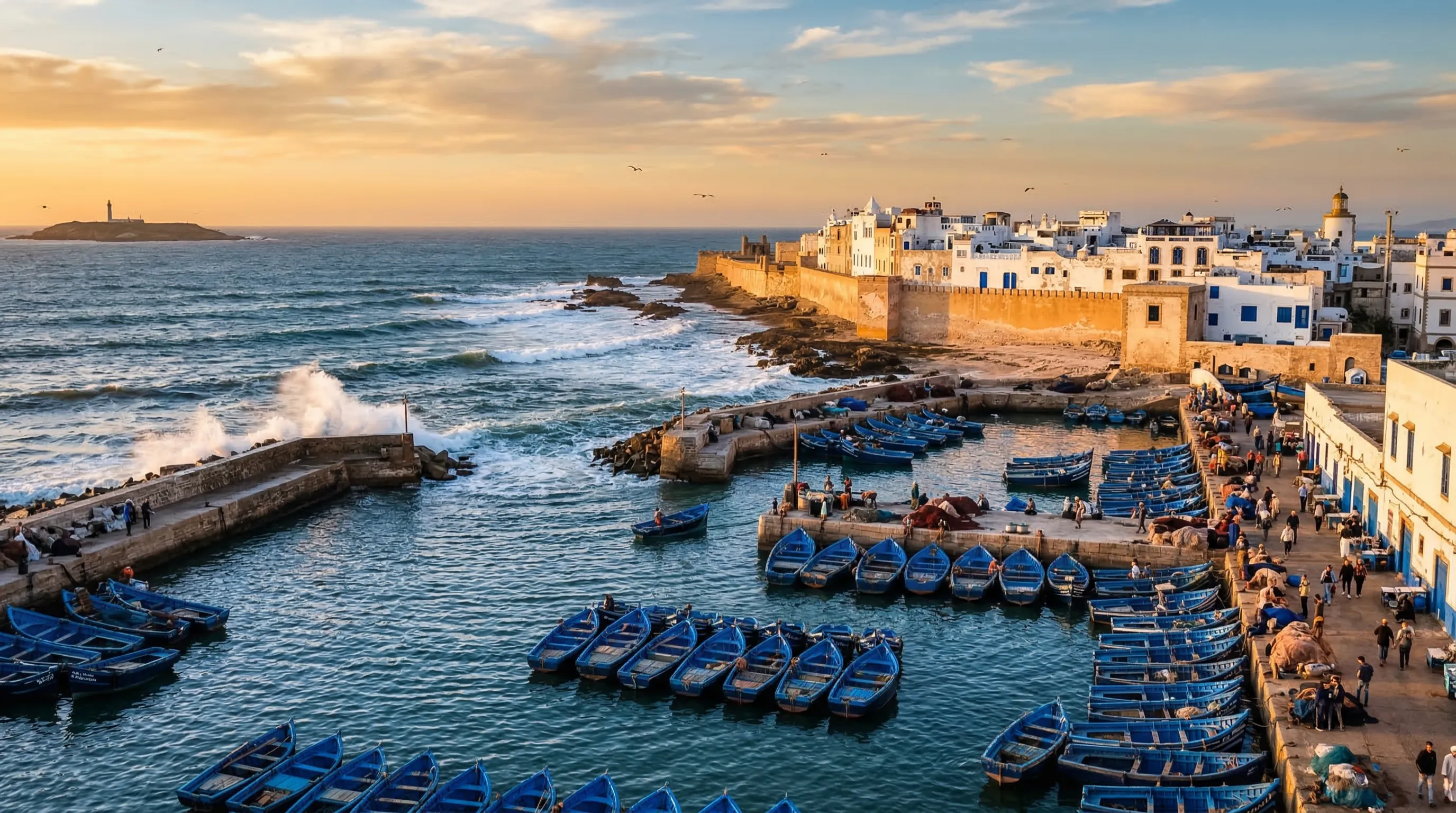
The Atlantic coast from Tangier to Agadir has strong 4G coverage in all towns. Beach areas between towns may have weaker signal. Essaouira, Taghazout, Sidi Ifni, and Legzira all have reliable coverage. Remote surf spots may have limited signal — check your phone before heading to isolated beaches.
Remote Area Preparation Checklist
Essential Apps for Morocco Travel
Download these apps before your trip for communication, navigation, transportation, and money management.
Communication
The primary communication app in Morocco. Everyone uses it: taxi drivers, restaurants, tour guides, hotels. Essential for local contact.
Telegram
Popular backup to WhatsApp with better file sharing. Used by some local businesses and expat communities.
Navigation
Google Maps
Works well in cities and for driving directions. Download offline maps for the region you are visiting before heading to rural areas.
Maps.me
Excellent for offline navigation in medinas and rural areas. More detailed trail and path data than Google Maps for hiking.
Transportation
InDrive
Ride-hailing app popular in Moroccan cities. Set your own price and negotiate. More affordable than taxis in many cases.
Careem
Uber-owned ride-hailing app available in Casablanca, Rabat, Marrakech, and Tangier. Reliable with transparent pricing.
ONCF (Train)
Official Moroccan railway app for booking train tickets between cities. Book in advance for Al Boraq high-speed train.
Translation
Google Translate
Download French, Arabic, and Darija (Moroccan Arabic) packs for offline use. Camera translation feature works on signs and menus.
Money
Wise (TransferWise)
Best exchange rates for converting currency. Wise debit card works at Moroccan ATMs with low fees.
XE Currency
Real-time MAD exchange rate tracking. Works offline once rates are cached. Essential for budgeting.
VPN Services
NordVPN
Reliable in Morocco with many server options. Good speeds and consistent connections. Works well for streaming.
ExpressVPN
Fastest VPN option in Morocco. More expensive but excellent for video calls and streaming. Strong encryption.
Emergency Numbers & Communication
Save these numbers before your trip. They work from any phone, including phones without a SIM card.
For cities and towns. French and Arabic spoken.
For rural areas and highways. Call this outside cities.
Fire department also handles medical emergencies.
Emergency medical dispatch. Limited English, try French.
European-style emergency number. Works from any phone.
Brigade Touristique. English-speaking officers available.
Communication Tips for Emergencies
Tips for Reducing Data Usage
Even with affordable data plans, these tips will help you stretch your mobile data further and avoid unexpected overages.
Download offline maps
Save Google Maps regions and Maps.me country data over WiFi. This alone can save 50-100 MB per day of navigation data.
Compress photos before uploading
Use apps like Photo Compress or adjust camera settings to smaller file sizes. A single high-res photo can be 5-10 MB.
Disable auto-play videos
Turn off auto-play in Facebook, Instagram, and Twitter. Social media video streaming is the top mobile data consumer.
Use WiFi for downloads and updates
Set your phone to only download app updates over WiFi. Queue large downloads for hotel or cafe WiFi connections.
Enable data saver in your browser
Chrome and Firefox have data compression features that reduce page sizes by 30-60%. Enable them in browser settings.
Download Spotify and Netflix content offline
Download playlists and shows over WiFi before traveling. Streaming music uses 50-150 MB per hour, video uses 1-3 GB per hour.
Use WhatsApp voice calls over WiFi
WhatsApp calls use less data than regular calls and work over WiFi. Video calls use about 5 MB per minute on mobile data.
Turn off background app refresh
Disable background data for apps you do not actively use. Social media and email apps can consume significant data in the background.
How Much Data Do You Actually Need?
| Activity | Data per Hour | Daily Estimate |
|---|---|---|
| WhatsApp messaging + photos | 10-30 MB | 50-150 MB |
| Google Maps navigation | 5-10 MB | 20-50 MB |
| Social media browsing | 100-300 MB | 200-500 MB |
| Web browsing | 30-60 MB | 100-200 MB |
| 5-20 MB | 20-50 MB | |
| Video call (WhatsApp) | 300 MB | 300-600 MB |
| Streaming music (Spotify) | 50-150 MB | 100-300 MB |
| Streaming video (YouTube/Netflix) | 1-3 GB | 1-3 GB |
Quick Reference: Morocco Connectivity
Before You Go
- Ensure your phone is SIM-unlocked
- Check if your phone supports eSIM
- Download a VPN app and test it
- Download offline maps for Morocco
- Install WhatsApp if you do not have it
- Download Google Translate language packs
- Save emergency numbers in your contacts
- Notify your bank of Morocco travel
Upon Arrival
- Buy a SIM card at the airport kiosk
- Or activate your eSIM from the plane
- Test mobile data immediately
- Download carrier app for data monitoring
- Connect to hotel/riad WiFi
- Test VPN connection if needed
- Share your local number with key contacts
- Top up credit at any corner shop as needed
Continue Planning Your Morocco Trip
Explore more practical guides to help you prepare for an unforgettable experience in Morocco.
Digital Nomad Guide
Coworking spaces, cost of living, and remote work cities.
Read GuideHealth & Safety
Medical facilities, vaccinations, and travel insurance advice.
Read GuideTransportation
Trains, buses, taxis, and getting around Morocco.
Read GuideTravel Planning
Budgeting, itineraries, and essential packing tips.
Read Guide